

Co-Producer
Jan 30, 2026
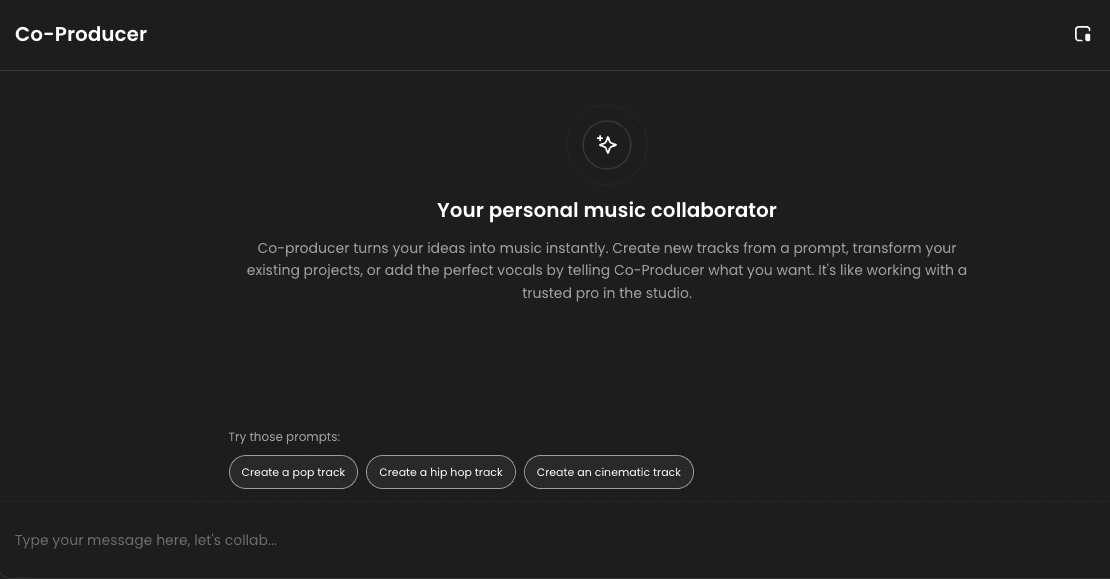
The Co-Producer is your personal music collaborator, designed to bring the speed and intelligence of AI directly into your production workflow. It’s like working with a trusted professional producer right in your studio.
What is the Co-Producer?
The Co-Producer is an integrated AI chat interface that allows you to generate and edit music by simply talking to it in natural language. It uses its understanding of music theory and your project context to make real-time changes.
The Co-Producer turns your ideas into music instantly, enabling you to:
Create new tracks from a prompt.
Transform your existing projects with descriptive commands.
Add the perfect vocals or other specific sounds by telling the Co-Producer exactly what you want.
Accessing the Co-Producer
The Co-Producer can be opened at any time while you are working in the Timeline Editor.
Opening the Chat: If the Co-Producer panel is closed, click the sparkle button located in the bottom right corner of the application interface.
Closing the Chat: Click the 'X' button in the top right corner of the panel to close it.
Working with Natural Language Commands
The Co-Producer allows you to skip manual searching and editing by communicating your creative intent:
Generate Ideas: You can ask it to generate a new track based on a genre or mood (e.g., "Give me a hard-hitting drum loop for the chorus").
Modify Existing Tracks: You can tell it to change the style of a current stem (e.g., "Change the bassline to sound more aggressive and distorted").
Add Sounds: You can request specific elements (e.g., "Add a short, sweeping impact sound before bar 9").
Transform Projects: You can give high-level instructions to restructure the song (e.g., "Make the second verse twice as long").
The Co-Producer will automatically execute these changes, adding sounds, editing clips, or creating new tracks based on your input.
Customizing the View
The Co-Producer panel is flexible, allowing you to choose the size that best fits your workflow:
Toggle View: Click the window button (two opposing arrows) at the top of the Co-Producer panel to cycle through three viewing modes:
Default View: The standard window size.
Wide View: Expands the panel horizontally for a larger chat history.
Full Screen: Maximizes the panel to fill the entire application window.
This flexibility ensures the Co-Producer is always available to collaborate without getting in the way of your Timeline Editor view.